Top Project Management Tools for Remote Teams
In the evolving landscape of distributed work, the selection of appropriate project management software plays a crucial role in maintaining operational coherence. Remote teams often face challenges related to task visibility, communication gaps, and inconsistent progress tracking. This article examines several widely used project management tools, focusing on their core functionalities and how they address the specific needs of dispersed teams. The aim is to provide a factual comparison that can assist teams in making an informed choice based on their unique workflows and requirements.
Effective project management in a remote context depends on more than just assigning tasks; it requires a structured approach to collaboration and information sharing. Tools differ significantly in their interfaces, feature sets, and integration capabilities. By examining these differences, teams can identify which platform aligns with their operational style. The following sections detail the primary features of leading tools, emphasizing aspects like task delegation, progress visualization, and communication channels, without making definitive claims about superiority.
Core Features of Leading Project Management Tools
Project management tools generally offer a set of common features, but their implementation varies. Task creation, assignment, and deadline tracking are fundamental to most platforms. Additionally, many tools provide options for file sharing, comments, and real-time updates. The effectiveness of these features largely depends on the user interface and the level of customization available. For instance, some platforms offer a simple to-do list layout, while others incorporate complex dependencies and resource management. Understanding these variations is essential for teams aiming to streamline their operations.
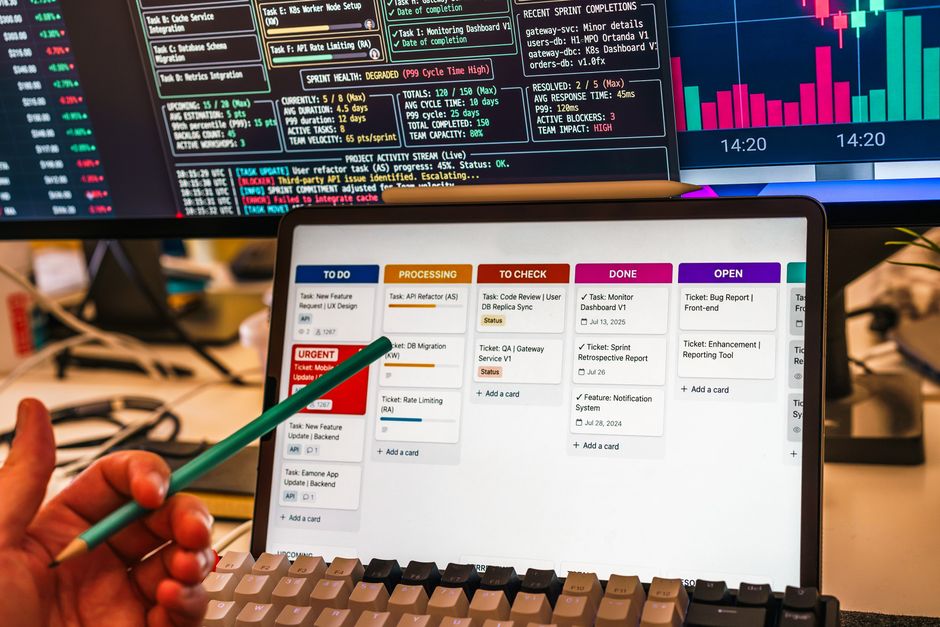
Another crucial aspect is the ability to visualize project progress. Kanban boards, Gantt charts, and calendar views are common visual aids that help teams grasp the overall status of a project. Kanban boards, with their column-based structure, are particularly useful for workflow management, allowing teams to move tasks through stages. Gantt charts provide a timeline perspective, showing task durations and dependencies. The choice of visualization often depends on the nature of the project and the team’s preference. Some tools excel in one type, while others offer multiple views seamlessly.
Integration with other software is also a key factor. Remote teams often rely on a suite of tools for communication, file storage, and version control. A project management tool that integrates well with these existing tools can reduce friction and improve efficiency. Common integrations include email, calendar, and chat applications, as well as file storage services. The depth of integration varies, with some tools offering native connectors and others requiring third-party services. Evaluating integration capabilities is vital to ensure a smooth workflow.
Security and permissions are non-negotiable aspects. Remote teams handle sensitive information, and the tool must provide robust access controls. Features like role-based permissions, two-factor authentication, and audit logs are important for maintaining data integrity. Additionally, data residency and compliance with regional regulations should be considered, especially for teams operating under GDPR or other standards. Transparency in security practices is a key factor when selecting a tool.
Task Management and Delegation
Task management lies at the heart of any project management tool. In a remote setting, clear task ownership is paramount. Tools offer features such as assignee selection, due dates, and priority labels to clarify responsibilities. Some provide subtasks, allowing complex tasks to be broken down into manageable parts. The ability to set dependencies ensures that tasks are undertaken in the correct order. Effective delegation is supported by the ease with which tasks can be created and edited, as well as by notification mechanisms that inform relevant team members.
While most tools allow for task assignment, the user experience varies. For instance, some tools require navigating through multiple screens to assign a task, while others offer a quick inline assignment. The level of detail in task descriptions and the ability to attach files directly to tasks are also significant. A well-designed task management system reduces ambiguity and enhances accountability, which is critical for remote collaboration.
Furthermore, the tracking of time spent on tasks is an optional but valuable feature. Some remote teams bill clients by the hour, while others monitor productivity. Time tracking features can be built-in or provided via integration, and they offer insights into how effort is distributed across a project. However, not all tools include time tracking natively, so teams with specific needs must consider this when evaluating options.
Collaboration and Communication
Communication within a project management tool can supplant the need for separate messaging apps. Many tools include comment threads on tasks, where team members can discuss specifics in context. Some offer real-time chat features, such as direct messaging or team channels. This integrated approach ensures that all relevant information is stored within the project record, which is beneficial for reference and reporting. However, the effectiveness of these communication tools depends on their usability and search functionality.
Another form of collaboration is in-app document sharing and collaborative editing. Some tools allow multiple users to edit a document simultaneously, similar to cloud-based office suites. This feature can be a significant advantage for teams that need to co-create deliverables. Others rely on external storage and link sharing, which can be fragmented. The choice between native editing and external integrations will influence how seamlessly collaboration occurs.
Notifications and activity feeds also play a role in keeping the team informed. Customizable notifications allow users to stay updated without being overwhelmed. Activity feeds provide a chronological history of changes, facilitating transparency. The granularity of notification settings is an important consideration, as excessive alerts can lead to desensitization and missed updates.
Reporting and Analytics
Reporting tools transform raw project data into actionable insights. Dashboards that display key performance indicators (KPIs) help managers assess progress and identify bottlenecks. Many tools offer pre-built reports for tasks, workloads, and project health. However, the depth of analytics varies. Some provide only basic metrics, while others allow custom report creation and data export. Advanced reporting may require a premium subscription, which is a crucial cost consideration.
For transparency, these reports need to be accessible to all stakeholders. Some tools offer shared dashboards that can be embedded in web pages or exported as PDFs. This feature is particularly useful for remote teams where status meetings might be asynchronous. The ability to generate insights at regular intervals, like weekly summaries, enhances oversight without manual effort.
However, it is important to note that analytics are only as valuable as the data they rely on. Incomplete or inaccurately updated data can lead to misleading reports. Therefore, fostering a culture of consistent data entry is a prerequisite for leveraging reporting features effectively. Teams should be prepared to invest time in training to ensure data integrity.
Comparative Analysis of Popular Tools
Asana
Asana is a versatile project management platform known for its multiple views, including list, board, and Gantt chart. It offers robust task management with custom fields, dependencies, and task assignments. The platform integrates with a wide range of apps, and its user interface is generally appreciated for its simplicity. Asana provides built-in reporting features, both in its paid plans, allowing teams to track progress efficiently. Its collaboration features, including comments and file attachments, are well-integrated, making it a popular choice for many remote teams.
Trello
Trello adopts a board-based approach, centered around the Kanban method. It is visually intuitive, with cards representing tasks that can be moved across lists. Trello excels in simplicity, making it easy for teams to adopt. It offers power-ups to extend functionality, but advanced features like dependencies or time tracking require integrations. Trello is particularly suitable for smaller teams or projects that benefit from a visual workflow. Its collaboration is straightforward, but reporting capabilities are more limited compared to other tools.
Monday.com
Monday.com presents a highly customizable workspace that adapts to various workflows. It offers multiple views: board, timeline, and calendar, among others. The platform is known for its automation capabilities, which can reduce manual tasks. Monday.com provides a wide range of templates, which can accelerate setup. Its reporting features are robust, offering various chart types and dashboards. Integration with other services is extensive, making it a flexible option for teams with diverse needs.
Key Considerations for Remote Team Adoption
When selecting a project management tool, remote teams must consider the learning curve. The chosen tool should be intuitive enough to be adopted quickly across diverse roles. Comprehensive onboarding resources, such as tutorials and support, are crucial. A tool that is difficult to use can hinder productivity rather than enhance it. Therefore, teams should prioritize usability and provide sufficient training.
Scalability is another essential factor. As the team or project complexity grows, the tool should accommodate increased data and users. Pricing models often depend on the number of users, so this can be a significant cost factor. Moreover, the tool’s performance under heavy usage should be stable. Researching customer experiences about scalability can be informative, but each team’s environment is unique.
Support and community resources are also vital. A robust support system ensures that technical issues can be resolved promptly. Some vendors offer dedicated account management for high-tier plans. Additionally, community forums and knowledge bases can provide valuable tips and troubleshooting. The presence of an active user community can indicate the tool’s maturity and reliability.
Finally, remote teams should evaluate the tool’s capacity to foster transparency. Features such as public projects, open comment threads, and audit trails contribute to an open culture. Transparency helps to build trust among team members who are geographically dispersed. The degree to which the tool supports cross-functional visibility can influence project outcomes.
Choosing the right project management tool involves a careful analysis of team workflows and future needs. The best approach is to conduct trial periods with a small group before full-scale implementation.
In conclusion, the selection of a project management tool for remote teams should be driven by an understanding of the team’s specific processes, rather than by trends. By evaluating the features outlined above, teams can make an informed decision that supports their operational efficiency. It is also advisable to revisit this decision periodically, as both team dynamics and software capabilities evolve. The tools discussed in this article represent a cross-section of the market, and each offers distinct advantages. Ultimately, the right fit will enhance collaboration, streamline task management, and improve transparency across the distributed workforce.